The installation project that I was working on for the Tate Liverpool is finally finished and installed, and has been running for a few days. It turned out really nicely, although the process was a lot different to my usual kind of project. While I'm happy with the final result, there's a lot I'd do differently if I tried to tackle something like this again (and hopefully I will). Here's what I learned:
Choose your technology wisely.
I made the projector in Flash, as a dual-screen AIR application. The primary screen is the user-facing input part, where people write their comments. This screen also serves as the admin screen if a password is entered into the comment area. The second 'screen' is actually the projection itself. I used this handy class to make life easier, but it was still a bit of a pain making sure that focus was doing what I wanted. I'm also really concerned that the Flash player might be prone to crapping the bed when it's been left running for a few days, it's not something I've got much experience with.Only time will tell if it stays stable, it's been a few days and I've not heard anything. In hindsight, I kind of wish I'd gone with my initial plan to use Processing, but I ended up taking the comfortable option and going with the technology I knew best, despite the advantages that Processing would have given me. Ah well.
Testing an installation project is hard.
Working on a regular monitor for a piece that's eventually going to be a few meters wide is a total nightmare. I spent days working with font sizes that looked completely natural on-screen, but looked totally different when we projected. About halfway through the build we rigged up a McGyver-style setup in the studio (see below) and managed to approximate a projection at the right size, and immediately realised that the fonts were still miniscule. Whoops. Next time around, I'm going to try and run the maths on it first: if the client wants a certain text size (in inches for example) then I need to sit down beforehand and figure out what size to set my assets at. It would still need testing, but my approach on this one wasn't even an educated guess and really created a lot of extra work.
Never underestimate people's creativity when it comes to profanity.
Filtering swearwords was the biggest concern I had for the entire build. In the past I'd done some very basic filtering, but only for things like websites and apps. It doesn't really do much damage if someone decides to fill my forms with swearwords. However, if someone sneaks a few creatively-formatted cuss words through at a crowded Tate exhibition, it's potentially a huge deal. I ended up going for a three-tiered approach that seems to have a worked alright. I won't go into the technical specifics (that's a whole post on it's own) but it essentially checks input against a massive list, then searches for the more common words within words, including common letter/number substitutions. I tested what I thought was a solid system very early on, mainly through my Facebook friends, and within a few minutes realised that people are immensely clever at subverting filters and ruining my day. Hilarious as it was, the testing proved invaluable, and meant that I came up with what I'd like to think is a pretty robust system. I've not had an angry call from the Tate yet, so that's reassuring.
Letting staff edit content without the use of a mouse, is a pain.
The screen has a password-controlled admin screen that allows the staff at the exhibition to quickly access the user comments, in date/time order, and very quickly disable any offensive or unsuitable comments. This was an important feature: I was pretty confident in my profanity filtering, but of course there's a lot you can do without swearing. My big issue was the lack of a mouse, so I had to handle screen-to-screen focusing cleverly to make sure the user couldn't get out of place or lock themseleves out of the screen. Turned out really well though.
Block that keyboard.
In addition to filtering out swearwords, I needed to make sure that nobody was going to kill the presentation or alt-tab out of it, or whatever. This was absolutely mission-critical, and should really have been the very very first thing I sorted out, but of course I ended up getting stuck into the visuals and leaving it til last. Mistaaaake! Luckily, I found this little app that allowed us to quickly disable a lot of the keys. Again, if I'd done this in Processing I could have done this myself as part of the app, which would have been a much more streamlined solution than relying on a second external app to handle key blocking. Not to worry though.
Overall I'm very happy with how it went from a technical perspective. There was nothing that went particularly 'wrong' with it, I just think that with a little more planning in advance I could have saved myself time, and made life easier.
We did end up slightly simplifying it visually, just so we knew it would work. Again, this wasn't a mistake as such, I just kind of wished I'd done a bit more testing to see what I could have gotten away with. I also think this would have been a great learning experience had I picked Processing over Flash, but of course that comes with the risk of things not going as smoothly as it did due to be me using an environment I'm familar with. Perhaps there's better projects to cut my teeth on than ones that are going to be projecting in front of hundreds of people. Hmm.
Anyway, I really enjoyed the experience overall, and will definitely jump at the chance to do something like this again. If you're in Liverpool in the next two months, go check it out.
Showing posts with label projection installation. Show all posts
Tuesday, 12 April 2011
Monday, 31 January 2011
My first installation, argh!
I've recently been asked to help build an interactive projecting installation for a museum in the UK (can't say much more about it for now, but it's a well-known art museum in Liverpool, you work it out!).
The brief is to come up with a way of letting users comment on the exhibition interactively, and to display that information to other visitors in an interesting way. The plan is to have one machine dedicated to user input (hopefully a touch-screen), and then another machine hooked up to a projector in the venue that will have an animating display showing loads of live data, that contantly checks through user's comments and displays them nicely. I'll be using AIR for both parts, and some sort of database solution to store the info (I might even grab tweets from a dedicated Twitter feed too, if there's enough interest).
This is a really nice example of what I'm seeing in my head, although this one is A) webcam enabled, and B) completely bloody amazing. Still:
It's an interesting challenge anyway, and something I've got no experience in doing really. I'm quite excited to be involved though, but it means I'm going to have to really think hard about how I go about doing it. My work is usually online, or given to reps, or installed on computers. Having my work displayed in public for a few weeks where large numbers of people are going to screw with it presents it's own set of issues for me. Like these:
Potential Issue #1: Idiots.
Idiots love to break lovely things like the thing I want to make. By this, I mean typing "cock" instead of a name, or sneakily quitting the app, or somehow trying to break it, whatever. I need to bear in mind that while writing "cock" as a username isn't the end of the world on a website, projecting it onto the wall at a busy art exhibition might be slightly more of an issue. I think that the museum setting means that this sort of sabotage is probably slightly less likely to occur than say, if it was in the middle of a street, but regardless: this thing needs to be completely twat-proof. My data will probably be stored remotely (a really simple mySQL type deal), which means that I could give staff at the museum the power to delete any offensive comments that slip through the net.
Potential Issue #2: Technology.
The program will be running for long stretches of time, which means that I really need to know that if things go wrong, I've got some sort of backup. My plan is to have the two machines hooked up to a network, but at the moment I think it'll be wirelessly. That means that if the wireless drops out for some reason, I need to know my program won't shit the bed and break completely. I think I'm going to have rolling checks at regular intervals that will grab any new comments from the database, and copy them to a local source which will then be used to power the projection content. This means that I can do a check for connection before each update attempt, and if none is found then it's not the end of the world and the program will keep running.
Potential Issue #3: Setting.
This is the first piece of work I've ever done that is location-dependent. How and where it's installed, and on what kit, is going to have a pretty huge effect on the end product. This means that I need to get in there with a camera and figure out where and how I'm deploying it, before I do anything else. There's even been talk of projecting onto a none-flat surface (maybe having raised sections to project individual quotes on to), which would be great, but is a lot more involved. We'll see what happens with that though.
So yes, I'm very excited, and can't wait to get stuck into tackling this thing. Once I get a proper working prototype down I'll probably update again with how it's going.
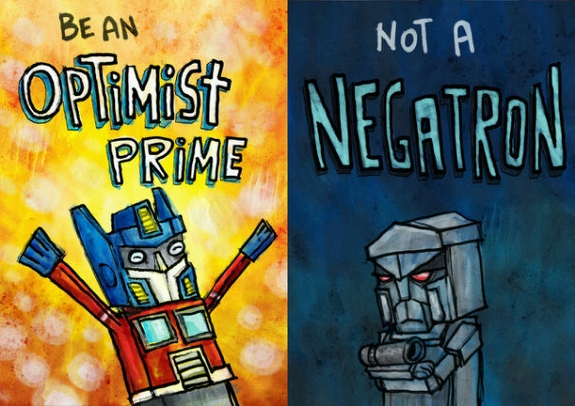
This should either be a really positive learning experience for me, or a massive and spectacular failure. Luckily, I'm an optimist prime. :)
The brief is to come up with a way of letting users comment on the exhibition interactively, and to display that information to other visitors in an interesting way. The plan is to have one machine dedicated to user input (hopefully a touch-screen), and then another machine hooked up to a projector in the venue that will have an animating display showing loads of live data, that contantly checks through user's comments and displays them nicely. I'll be using AIR for both parts, and some sort of database solution to store the info (I might even grab tweets from a dedicated Twitter feed too, if there's enough interest).
This is a really nice example of what I'm seeing in my head, although this one is A) webcam enabled, and B) completely bloody amazing. Still:
Nike NO MORE TALK from seeper on Vimeo.
It's an interesting challenge anyway, and something I've got no experience in doing really. I'm quite excited to be involved though, but it means I'm going to have to really think hard about how I go about doing it. My work is usually online, or given to reps, or installed on computers. Having my work displayed in public for a few weeks where large numbers of people are going to screw with it presents it's own set of issues for me. Like these:
Potential Issue #1: Idiots.
Idiots love to break lovely things like the thing I want to make. By this, I mean typing "cock" instead of a name, or sneakily quitting the app, or somehow trying to break it, whatever. I need to bear in mind that while writing "cock" as a username isn't the end of the world on a website, projecting it onto the wall at a busy art exhibition might be slightly more of an issue. I think that the museum setting means that this sort of sabotage is probably slightly less likely to occur than say, if it was in the middle of a street, but regardless: this thing needs to be completely twat-proof. My data will probably be stored remotely (a really simple mySQL type deal), which means that I could give staff at the museum the power to delete any offensive comments that slip through the net.
Potential Issue #2: Technology.
The program will be running for long stretches of time, which means that I really need to know that if things go wrong, I've got some sort of backup. My plan is to have the two machines hooked up to a network, but at the moment I think it'll be wirelessly. That means that if the wireless drops out for some reason, I need to know my program won't shit the bed and break completely. I think I'm going to have rolling checks at regular intervals that will grab any new comments from the database, and copy them to a local source which will then be used to power the projection content. This means that I can do a check for connection before each update attempt, and if none is found then it's not the end of the world and the program will keep running.
Potential Issue #3: Setting.
This is the first piece of work I've ever done that is location-dependent. How and where it's installed, and on what kit, is going to have a pretty huge effect on the end product. This means that I need to get in there with a camera and figure out where and how I'm deploying it, before I do anything else. There's even been talk of projecting onto a none-flat surface (maybe having raised sections to project individual quotes on to), which would be great, but is a lot more involved. We'll see what happens with that though.
So yes, I'm very excited, and can't wait to get stuck into tackling this thing. Once I get a proper working prototype down I'll probably update again with how it's going.
This should either be a really positive learning experience for me, or a massive and spectacular failure. Luckily, I'm an optimist prime. :)
Tags:
AIR,
AS3,
Flash,
museum installation,
projection installation
Subscribe to:
Posts (Atom)